




How to Automate Supply Chain Risk Reports: A Guide for Developers
Do you use Python? If so, this guide will help you automate supply chain risk reports using AI Chat GPT and our News API.

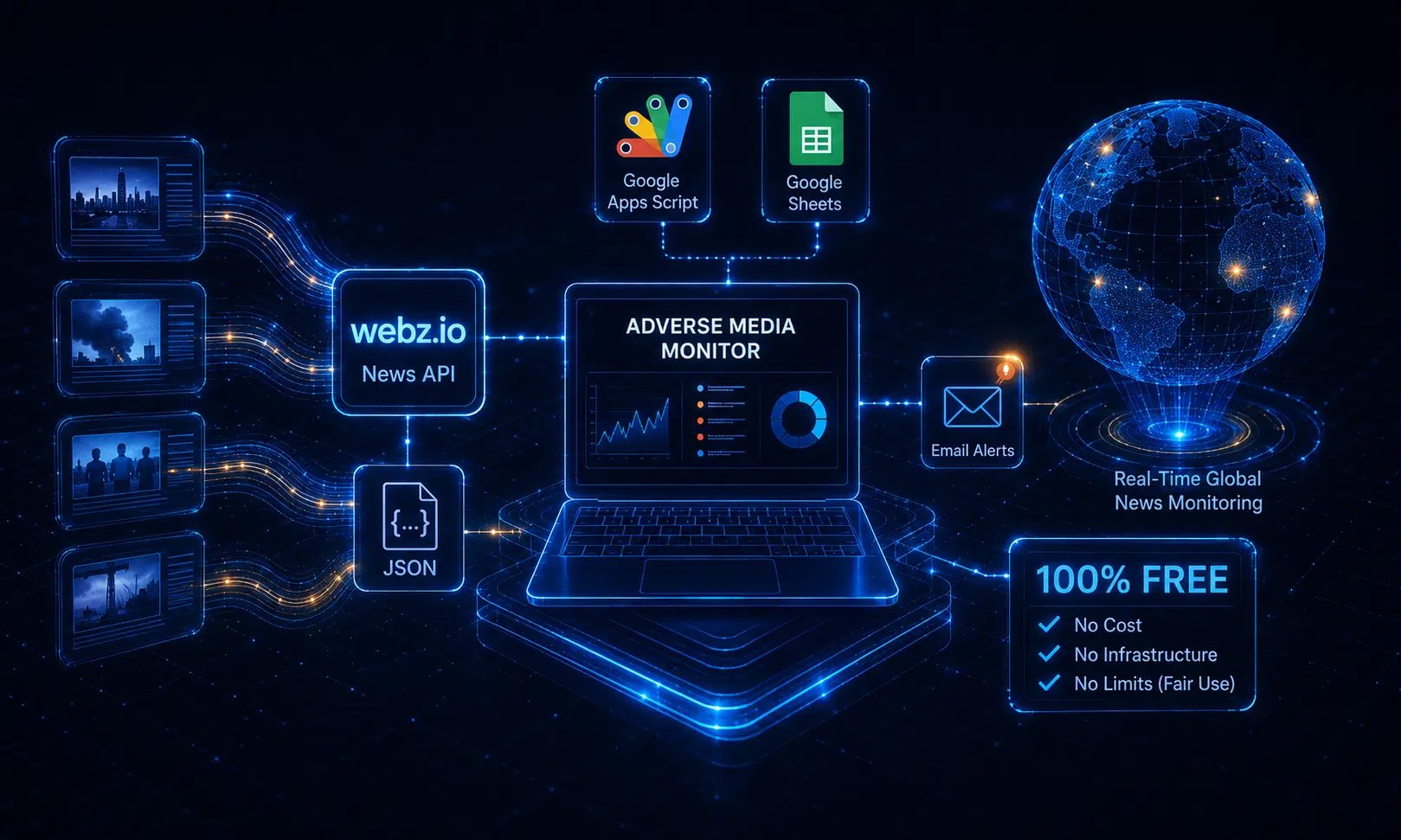
You can build a useful adverse-media monitoring service without running a server, maintaining your own news crawler, or paying for separate monitoring software.
This tutorial uses:
Webz.io’s Free plan includes $5 in API credits every month, so you can build and run a small monitor without paying for API access.
The workflow is simple:
Targets in Google Sheets
        ↓
Google Apps Script
        ↓
Webz.io News API
        ↓
Target name
+ negative sentiment
+ adverse category/topics
        ↓
Remove articles already seen
        ↓
Save results to Google Sheets
        ↓
Send an email digest
The first part of the query is simply the company or person’s name.
For example:
"Acme Corp"
Then add Webz.io’s sentiment filter:
sentiment:negative
And an adverse-news category:
category:"Crime, Law and Justice"
The complete query is:
"Acme Corp"
AND sentiment:negative
AND category:"Crime, Law and Justice"
Webz.io supports free-text queries, quoted phrases, Boolean operators, sentiment, categories, topics, entities, source filters and other structured filters inside the q parameter.
Using Webz.io’s classification means you don’t have to maintain a long query such as:
fraud OR bribery OR corruption OR arrested
OR investigation OR lawsuit OR ransomware ...
Instead, Webz.io classifies the articles for you.
Crime, Law and Justice is intentionally broad.
Webz.io also classifies news into hundreds of more specific topics. The current API supports 629 IPTC-derived topics.
For adverse media, useful topics include:
fraud
corruption
corporate crime
cyber crime
data breach
arrest
investigation (criminal)
A narrower query might therefore be:
"Acme Corp"
AND sentiment:negative
AND (
    topic:fraud
    OR topic:corruption
    OR topic:"corporate crime"
    OR topic:"cyber crime"
    OR topic:"data breach"
    OR topic:arrest
    OR topic:"investigation (criminal)"
)
Values containing spaces need quotation marks. Category and topic values are case-insensitive.
I recommend starting with:
category:"Crime, Law and Justice"
Then look at which topics appear in your results. You can narrow the query later if the category produces too much noise.
organization: or person: unless you need themFor most targets, use a normal quoted phrase:
"Acme Corp"
or:
"Jane Smith"
There is no need to classify every watchlist entry as a person or organization.
Entity filters become useful when a name is ambiguous.
For example:
organization:"Apple"
can help distinguish Apple Inc. from articles discussing apples generally.
For a common person’s name, you could instead add context:
"John Smith" AND "Acme Corp"
Webz.io supports person: and organization: filters, as well as entity-level sentiment filters such as organization.negative:. Entity extraction is currently available for English, German, Spanish and Italian.
We’ll therefore make entity filtering optional.
Create a new Google Sheet called:
Adverse Media Monitor
Then open:
Extensions → Apps Script
The Apps Script project will be attached to the spreadsheet.
You don’t need to create the spreadsheet tabs manually. The setup script below will create them.
Create or log into your Webz.io account and get your API token.
The standard News API endpoint is:
https://api.webz.io/api/news
A basic request looks like:
https://api.webz.io/api/news?token=YOUR_TOKEN&q="Acme Corp"
The News API returns structured news articles in a posts array, including fields such as title, text, URL, publication time, crawl time, sentiment, categories, topics and source metadata.
We’re using the regular Webz.io News API, not News API Lite.
In Apps Script, open:
Project Settings
→ Script Properties
Create:
WEBZ_TOKEN
and enter your Webz.io API token.
Then create:
ALERT_EMAIL
and enter the email address where alerts should be sent.
This keeps the token outside the source code.
Delete the default Apps Script code and paste the code in the following link.
Google Apps Script’s UrlFetchApp supports HTTP requests, MailApp can send email, and ClockTriggerBuilder.everyHours() can create recurring time-based triggers. The script also uses LockService to prevent two executions from updating the Sheet simultaneously.
Select:
setup
in the Apps Script editor and click Run.
Google will ask you to authorize the script.
The script creates two sheets:
Targets
Results
The Targets sheet looks like this:
| Enabled | Name | Query override (optional) | Last checked |
|---|---|---|---|
| TRUE | Acme Corp | ||
| TRUE | Example Holdings | ||
| TRUE | Apple | organization:”Apple” | |
| TRUE | John Smith | “John Smith” AND “Acme Corp” |
For most targets, leave Query override blank.
For Acme Corp, the script automatically creates:
"Acme Corp"
AND sentiment:negative
AND category:"Crime, Law and Justice"
Only use the override column when the name needs additional context.
Run:
monitorAdverseMedia
The first search checks the previous 24 hours.
Matches are added to the Results sheet with:
Target
Title
URL
Publication time
Crawl time
Source
Sentiment
Categories
Topics
UUID
Webz.io provides a unique uuid for each post. The script stores it so the same article is not reported repeatedly for the same target.
A result might look like:
Target:
Acme Corp

Title:
Regulators investigate Acme Corp over alleged misconduct

Sentiment:
negative

Categories:
Crime, Law and Justice

Topics:
Crime, Law and Justice->investigation (criminal)
Crime, Law and Justice->corporate crime
The script maintains a Last checked timestamp for every target.
Webz.io’s ts parameter accepts a Unix timestamp in milliseconds and returns posts crawled at or after that timestamp.
Suppose the monitor runs at:
06:00
and then again at:
12:00
The second run searches from approximately 06:00 onward.
The timestamp represents crawl time, not the article’s publication time.
That distinction matters. A newspaper might publish an article at 05:50, but Webz.io may discover it at 06:10. Monitoring by crawl time makes sure the article is still picked up.
The script deliberately stores the time when each run started, rather than when it finished. This creates a small overlap between searches.
Duplicates created by that overlap are removed using the Webz.io UUID.
This is safer than leaving a gap between runs.
A query can return more articles than fit in one response.
Webz.io returns:
posts
more_results_available
next
When next is available, the script follows that URL until there are no additional results.
Webz.io specifically recommends using the supplied pagination cursor instead of constructing pagination parameters yourself.
The script also waits 1.1 seconds between pages because Webz.io normally limits tokens to roughly one API request per second.
This is important for monitoring. Stopping after an arbitrary number of pages can cause articles to be skipped during a busy news cycle.
Once manual monitoring works, run:
createTrigger
once.
This creates an Apps Script trigger that runs:
every 6 hours
Your computer does not need to be running.
Google Apps Script executes the monitor in Google’s infrastructure. everyHours(6) is supported directly by Apps Script’s time-based trigger API.
For a small watchlist, six hours is a reasonable starting point.
If you need faster alerts, you can increase the frequency. If you are monitoring many targets, reduce the frequency or group targets into queries to conserve API credits.
Once you have collected some results, look at the Topics column.
If the broad category returns too many irrelevant stories, change:
ADVERSE_FILTER:
  'category:"Crime, Law and Justice"'
to:
ADVERSE_FILTER:
  '(' +
    'topic:fraud' +
    ' OR topic:corruption' +
    ' OR topic:"corporate crime"' +
    ' OR topic:"cyber crime"' +
    ' OR topic:"data breach"' +
    ' OR topic:arrest' +
    ' OR topic:"investigation (criminal)"' +
  ')'
Now the monitor searches:
"Acme Corp"
AND sentiment:negative
AND (
    topic:fraud
    OR topic:corruption
    OR topic:"corporate crime"
    OR topic:"cyber crime"
    OR topic:"data breach"
    OR topic:arrest
    OR topic:"investigation (criminal)"
)
This is usually easier to maintain than building your own adverse-media dictionary.
Not every adverse event belongs under crime.
Depending on what you’re monitoring, you may also care about issues such as:
economic sanctions
business restructuring
layoffs
workplace health and safety
sexual misconduct
Webz.io topics span all 17 top-level categories, so the same approach can be extended to vendor risk, reputational risk, ESG monitoring and other due-diligence use cases.
For example:
ADVERSE_FILTER:
  '(' +
    'category:"Crime, Law and Justice"' +
    ' OR topic:"economic sanction"' +
    ' OR topic:"workplace health and safety"' +
    ' OR topic:"sexual misconduct"' +
  ')'
The standard Webz.io APIs use a credit model.
The current Free plan gives you $5 of free API credits every month, making it possible to build and operate a small monitor without paying.
Queries over recent data use the lowest-cost search window. Searching deeper into history consumes more API credits: Webz.io currently documents higher credit consumption for requests going more than 31 days into the past.
For monitoring, this isn’t usually necessary.
The script searches only since the previous execution, so nearly every request concerns very recent data.
That keeps both latency and API consumption low.
There is one limitation you should keep in mind.
An article such as:
Acme Corp helps police investigate major fraud
could still match:
"Acme Corp"
AND sentiment:negative
AND topic:fraud
Acme Corp is mentioned in an adverse story, but it may be the victim rather than the accused party.
Likewise:
Acme Corp cleared after corruption investigation
may still have negative sentiment and a corruption-related topic.
So this service should be treated as a screening system:
Webz.io News API
        ↓
Negative + adverse category/topic
        ↓
Google Sheet
        ↓
Human review
        ↓
Relevant / not relevant
The automated search identifies articles worth reviewing. It should not, by itself, be used to conclude that a company or person committed wrongdoing.
You now have an automated adverse-media monitor built entirely with Webz.io and free Google tools:
Google Sheets watchlist
        ↓
Google Apps Script
        ↓
Webz.io News API
        ↓
"Target name"
AND sentiment:negative
AND adverse category/topics
        ↓
Deduplicate using UUID
        ↓
Google Sheets results
        ↓
Email digest
Start with the simplest query:
"COMPANY OR PERSON NAME"
AND sentiment:negative
AND category:"Crime, Law and Justice"
Use organization:, person: or additional context only when the target name is ambiguous.
Then use the categories and topics returned by Webz.io to make the monitor more precise over time.
Because Webz.io now provides $5 in free API credits every month, the standard News API is enough to build and operate a small adverse-media monitoring service without needing a separate free or limited API product.



Do you use Python? If so, this guide will help you automate supply chain risk reports using AI Chat GPT and our News API.

Use this guide to learn how to easily automate supply chain risk reports with Chat GPT and news data.

A quick guide for developers to automate mergers and acquisitions reports with Python and AI. Learn to fetch data, analyze content, and generate reports automatically.